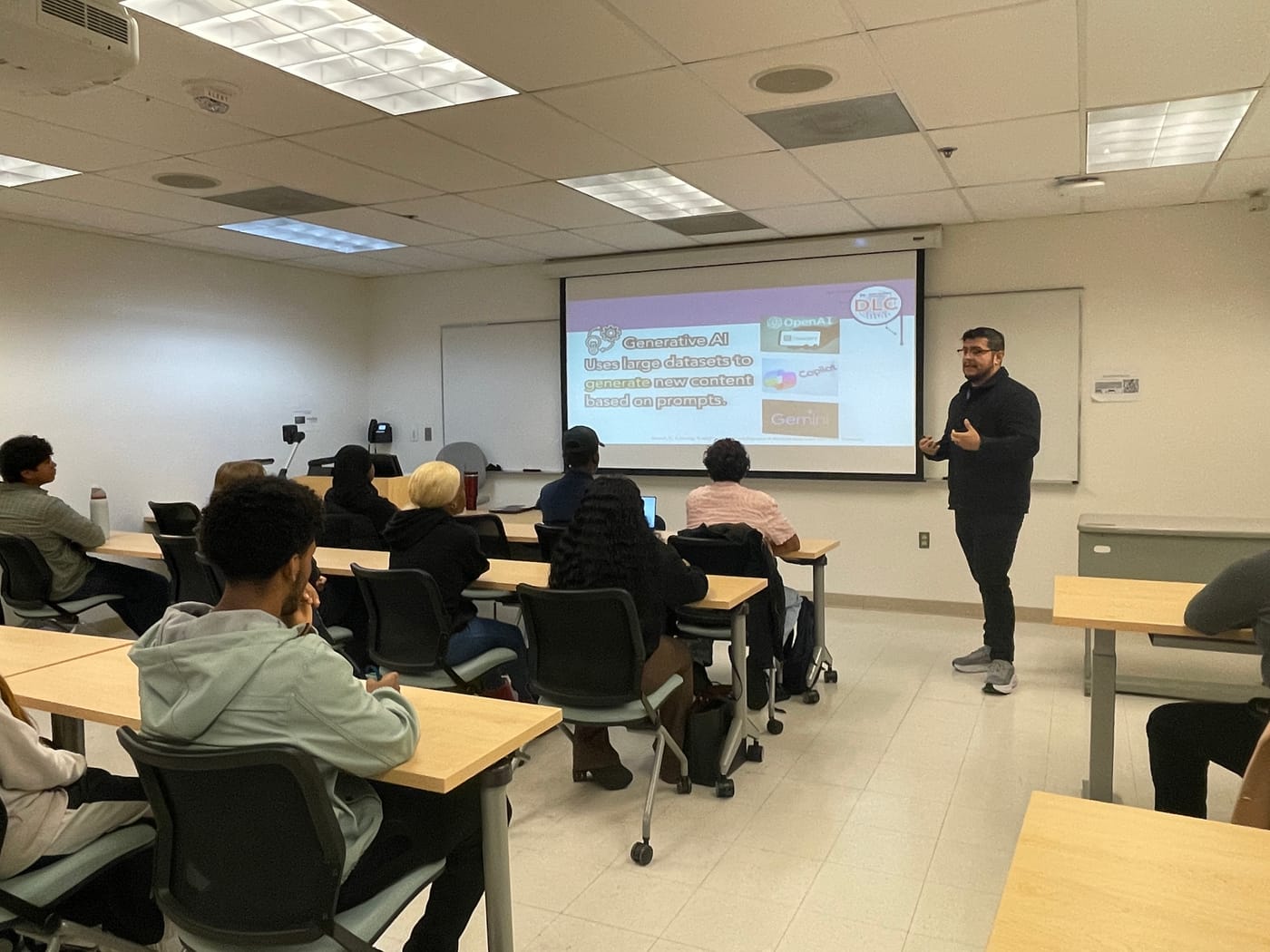
Daniel Umana standing at the front of a classroom, speaking to seated students, with a slide about generative AI on the screen behind him.

Daniel Umana

AI in education. I build the tools, curricula, and frameworks that make AI literacy real.

See the work

The applications below are running live in the page. The applications below open in a new tab from here.

Start here

My work is research, teaching, and building, all of it around AI in education.

Most of these started as a problem in front of me, at work or in a doctoral course. I built the answer myself and handed it to the students and faculty it was for. Each one below is the working application, loaded live in this page, and it opens full size from its own frame.

Chapter 01

Knowing what AI is good for

Most people meet generative AI without any way to tell what it handles well, where it quietly gets things wrong, or whether it belongs in the work at all.

That gap is what the tools below are for. They give faculty and students plain language for where AI fits in a course, and practice at judging what it hands back, so the decision stays with the person doing the work.

Work it handles well the part you have to judge Work it gets confidently wrong Work it handles well the part you have to judge Work it gets confidently wrong

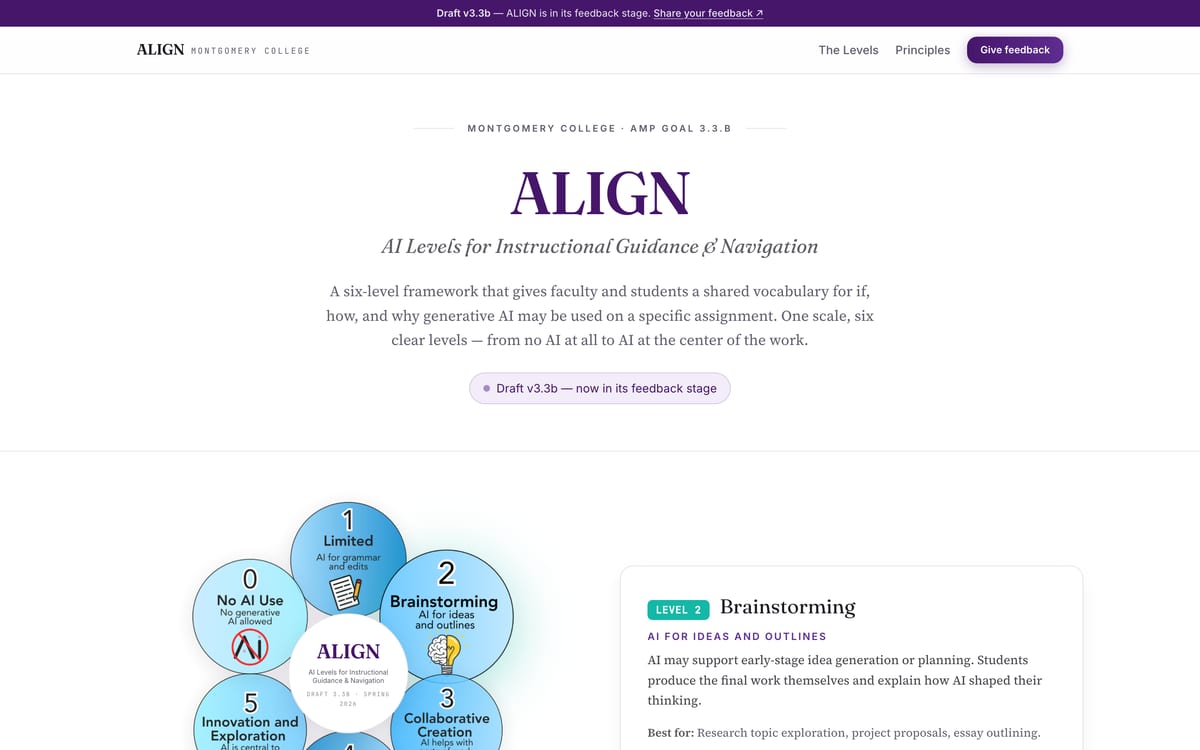
ALIGN

AI Levels for Instructional Guidance and Navigation

  1. What it is

    ALIGN stands for AI Levels for Instructional Guidance and Navigation. It is a scale of six levels an instructor marks an assignment with, running from level 0, where no generative AI is used at any stage, up to level 5, where students design the AI workflow themselves. A student reads the level and knows what is allowed before starting the work.

  2. Why we built it

    I led the cross-functional faculty and staff team at Montgomery College that created ALIGN, and I co-authored the white paper, the faculty guides and the assignment-level checklists. Students were guessing from one course to the next about whether AI was allowed for brainstorming, for editing, for drafting, and whether any of it had to be cited. I think telling a student plainly what is expected of them is one of the kinder things an instructor can do, and the guessing is what costs them.

  3. Who it is for

    Faculty who want to state their expectations in a line instead of writing a policy of their own, and students who want to stop guessing. ALIGN is a communication tool. It does not require anyone to use AI, it does not rank courses, and it detects nothing. Open a level and read what it asks of the student.
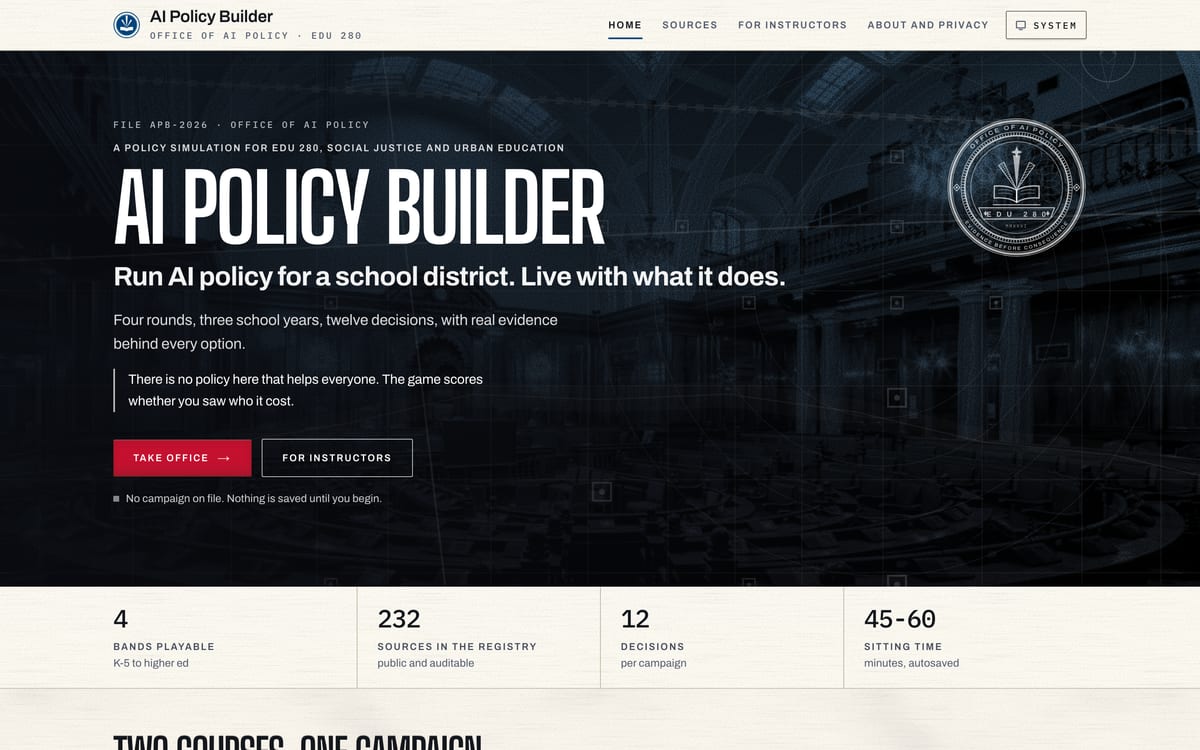
AI Policy Builder

A policy simulation, built for a graduate course

  1. What it is

    A browser game where you take over AI policy for a fictional school district and run it for three school years, from 2026 to 2029. A campaign moves through four rounds and twelve decisions, and every decision shifts outcomes for seven groups of students, among them multilingual learners, students with IEPs and students with no reliable internet at home.

  2. Why I built it

    I built it for EDU 280, Social Justice and Urban Education, at American University, where Dr. William N. Thomas IV teaches the course. A policy can look fair on paper and still land hardest on the students with the least room to absorb it, and a seminar can agree with that sentence without anyone in the room having made a decision that produced it.

  3. Who it is for

    Instructors who teach policy, and anyone who has to make a call whose costs land unevenly. The dashboard opens on one district-wide number, and splitting that number by student group is a button you have to press, so the report at the end names the round where you first pressed it or tells you that you never did. Take office and play a round.

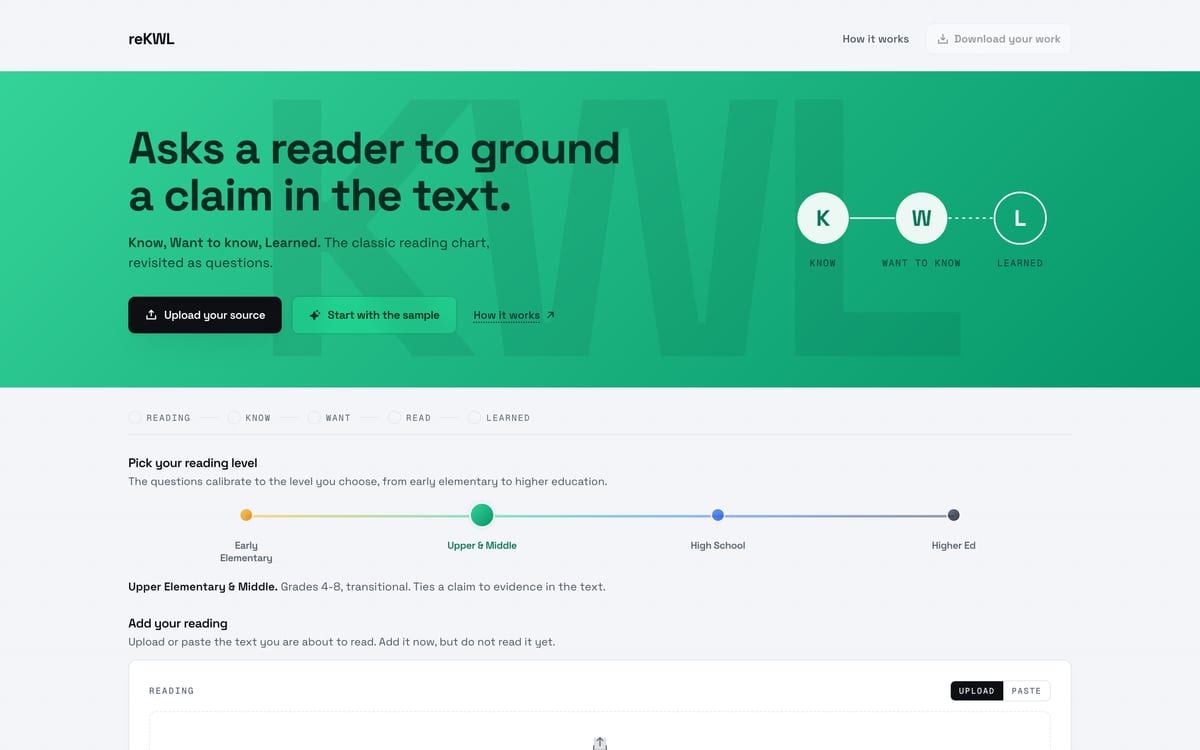
reKWL

A KWL chart that asks, never answers

  1. What it is

    A KWL chart is a classroom staple. Before reading, a student writes what they know about a topic and what they want to know, and afterward they write what they learned. reKWL is that chart with a language model behind it, and the model never fills a square in for the student. It reads what was written and comes back with questions.
  2. Why I built it

    Most reading tools answer the student, which hands over the part of the work that was supposed to be theirs. reKWL asks instead, and it tunes the questions to one of four reading levels, from grades one through three up to bachelor’s and doctoral work, so the same passage comes back differently for a fourth grader and a doctoral student. The research behind that progression is named on the app’s own page.

  3. Who it is for

    Teachers and instructors from elementary school through graduate school who assign reading and want students working on it rather than collecting an answer. Pick a level and run the sample passage, then switch the level and read the questions again.

Chapter 02

Workshops that leave something behind

I run AI literacy sessions for faculty, staff and students, and a slide deck stops being useful the moment the room empties.

Each session gets its own small web app carrying the exercises, the prompts and the worked examples, so someone can open it again weeks later and still get somewhere without me in the room.

AI That Works for You

The companion site for a sixty minute workshop

  1. What it is

    The site that carries a sixty minute workshop I ran on using AI for everyday work, the kind of work sitting on someone’s desk anyway: writing more clearly, organizing a task, comparing options, checking an assumption. Its sections hold the session’s main rule, its guardrails and its practice prompts, and a guide built out of what a participant typed downloads at the end.

  2. Why I built it

    A workshop ends and the handout goes in a drawer. I wanted the prompts and the guardrails to sit somewhere participants could reach the week after, when they finally hit the task they wanted the help with. The site also puts the Montgomery College technology policies into plain language, since what people ask first is what they are allowed to type into the tool.

  3. Who it is for

    Working adults using AI on the job rather than in a classroom, and anyone who runs a session like this and wants the materials to outlast the hour. Start at The Main Rule, then open Guardrails.

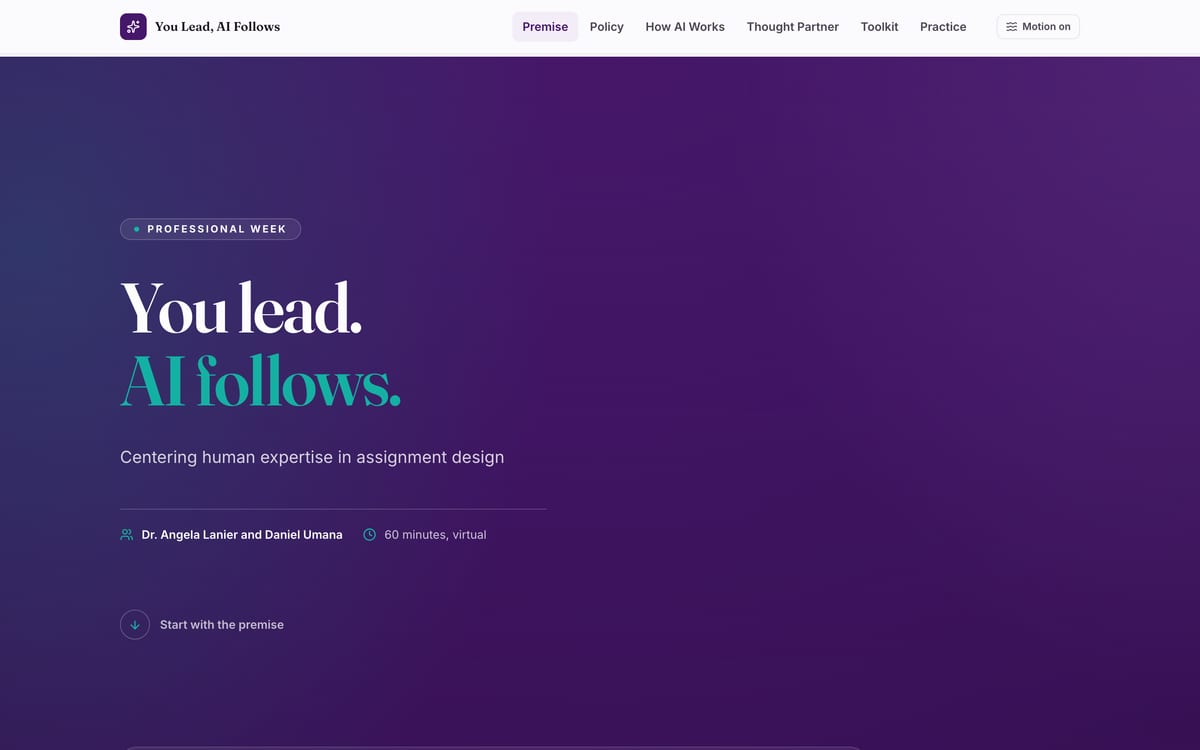
You Lead, AI Follows

A faculty session built with Dr. Angela Lanier

  1. What it is

    The companion site for a sixty minute session Dr. Angela Lanier and I built for Montgomery College faculty during Professional Week, on using AI while designing an assignment. It holds the premise of the session, the college policies in plain language, two worked demonstrations and a toolkit of prompt cards a professor can copy straight into their own course.

  2. Why I built it

    Faculty were being told to use AI in assignment design without being told what to do with what it gives back. The premise we teach is that the instructor supplies the expertise and the model supplies material to judge, so a card asks it to test an assignment for clarity, or to simulate how a student might read the prompt, or to check the wording against the rubric. No card asks it to write the assignment.

  3. Who it is for

    College faculty writing or revising assignments, and the staff who support them. Read the premise, then open the Toolkit, which is the part faculty take back to their courses.

Chapter 03

Coursework I turned into software

I am an Ed.D. student in education policy and leadership at American University, and when an assignment kept running into the same problem, I built something rather than writing around it.

Each of these started inside my own coursework or my research assistantship: a Plan, Do, Study, Act improvement cycle that students rush through, a paper competency form that hands nobody any feedback, a qualitative study that needs every episode coded against the same theory.

Plan Do Study Act

DoP Self-Assessment

Built for a doctoral cohort at American University

  1. What it is

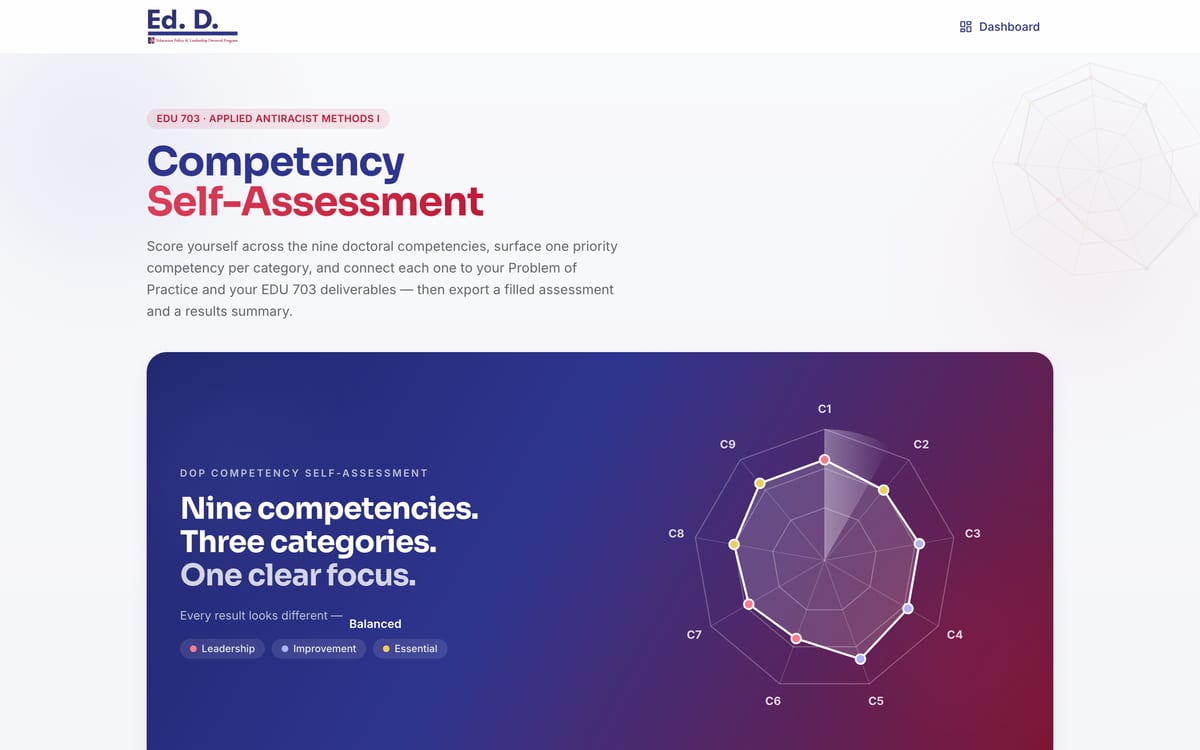
    DoP is short for Dissertation of Practice, the applied dissertation my doctoral program is built around, and this is the self-assessment that goes with it. Students rate themselves against the nine competencies and 33 sub-elements the program expects them to develop. The app scores that as they go, names the priority competency in each category, writes reflection prompts out of the answers they gave, and generates two PDFs, one a filled copy of the original artifact and one a results summary.

  2. Why I built it

    The instrument was a paper form. A student filled it in, added up a score and got back nothing that pointed anywhere. I rebuilt it for my own cohort in EDU 703 at American University so the same questions return something usable in the moment, and the arithmetic is plain and deterministic, with no model called at any point and nothing about an answer leaving the browser.

  3. Who it is for

    Doctoral students taking honest stock of where they stand, and any program still running this kind of inventory on paper. Score yourself and read what comes back. There is no login and no account.

From the AI Policy Builder

Set the policy, then see who absorbs the cost.

I built the AI Policy Builder as a simulation for a fictional school district, where you are the one making the calls and every policy you pick helps some students and costs others. A small piece of it is running here. Make the calls below, and the panel shows you which students gained, which students paid for it, and how far apart the district ends up, group by group.

Round 1, Fall 2026 What is the classroom AI policy?
Round 1, Fall 2026 Do you buy AI detection?
Round 2, Spring 2027 The fleet is aging and the subsidy is gone

Illustration of the mechanic. Not a finding.

  1. 1 Prohibit AI on school networks and devices
  2. 2 Buy a district detection license
  3. 3 Refresh the fleet and fund home connectivity

Aggregate

50.7

Mean of the seven groups

Spread

6

Highest group minus lowest

  1. Multilingual learners 48 -2
  2. Students with IEPs 50 0
  3. Free/reduced-price lunch 51 +1
  4. Black and Latino students 49 -1
  5. No reliable home internet 54 +4
  6. AP/honors track 52 +2
  7. Not in AP/honors 51 +1

This set moves No reliable home internet +4 and Multilingual learners -2. The aggregate moves +0.7. Everyone started in the same place, so the spread is what these three choices made.

Staff capacity

-6

Every one of the 64 combinations costs capacity. That is in the source data, not added here.

The panel is showing the default set of three choices, scored at build time. It updates with the controls once scripting is available.

The model, in full

Every group starts at 50. Each choice adds its delta to each of the seven groups, and those deltas are summed. The aggregate is the mean across the groups, and the spread is the highest group minus the lowest. There is no other arithmetic, and nothing is hidden behind a request to a server.

Where the numbers come from

The decisions, the option labels, the instrument names and every delta are the application's own content files for the 9-12 band. In the application each delta carries a note saying which published evidence it extrapolates from. Instrument names follow McDonnell and Elmore (1987), with hortatory from Schneider and Ingram (1990).

Open the full application

More of the work

The work above gets the long look. These are the others, grouped by who I built each one for. The public ones open in a new tab, while anything behind a course passcode or a staff sign in carries a badge in place of a link. Plenty of what I build stays inside a course or an office and never reaches a page like this one.

01

Workshop companions

I run sessions on AI literacy for students, faculty and staff. Each of these is the site that goes with one of them, so the material is still there the week after.

The AI for Your Studies site: the title set large in white on a dark gradient, above the line Use AI to learn faster and think harder.

AI for Your Studies , opens in a new tab

A session companion that opens with the student’s own course policy, then works through where AI helps with studying and where handing over the thinking costs them the learning they came for.

ai-for-students-indol.vercel.app

The AI Literacy workshop site: the prompt Two students got feedback on the same quality of writing, with feedback A and feedback B set side by side for the reader to choose between.

AI Literacy, Doctoral Cohort , opens in a new tab

Built for a doctoral cohort at American University. It opens by showing two pieces of feedback on the same paragraph and asking which one to trust, before anything is claimed about what these tools can do.

ai-literacy-omega.vercel.app

02

Course and campus tools

Built inside a course I support, or for the office that has to answer the question when it comes in.

The EDU 205 Memory Mine tool: the heading Map what actually motivates you, a description of the five phase memory mining protocol, and an Adinkra symbol drawn in red beside it.

Memory Mine , opens in a new tab

A guided protocol that helps students mine their own memories for what they already know about a topic, built for an education course on Dr. William N. Thomas IV’s Sankofian framework. It asks one question at a time and never writes the answer for them.

edu205-memory-mine.vercel.app

The Assignment vs. AI checker: the question How much of your assignment can AI just do, a box for pasting an assignment, and a dark panel splitting a sample between AI territory and student territory.

Assignment vs. AI , opens in a new tab

A teacher pastes in an assignment and sees how much of it a language model could produce unaided, and how much of it still needs the student. It is meant to be run before the assignment goes out, while there is still time to change it.

assignment-vs-ai.vercel.app

Output from the density tool: an original assignment prompt and its redesigned version side by side, each phrase shaded on a scale running from AI familiar to very human specific, with a score under each.

Epistemic Density Tool

The sentence level version of the same question. It colors every line of an assignment on a scale from familiar to a model up to specific to one person, then proposes rewrites that put the student back at the center of the task.

Invite only

The Community Field Notebook tool: the title set in white on a deep blue field, above the line Social Justice and Urban Education.

Community Field Notebook

Students in a community education course spend a semester documenting what they see in a neighborhood. This holds that work as a case file they build up over weeks, with prompts to write into instead of a form to fill in.

Passcode required

The Starfish Help Center: a gold star above the title and the line Montgomery College staff resource.

Starfish Help Center

Staff at Montgomery College use a student tracking system called Starfish, and most of the questions that reach my office are the same ones. This searches curated answers and links straight to the page of the manual that settles it.

Staff sign in

03

Research and doctoral work

I am an Ed.D. student at American University and a research assistant in its School of Education. When a course or a study needed something a document could not do, I built it.

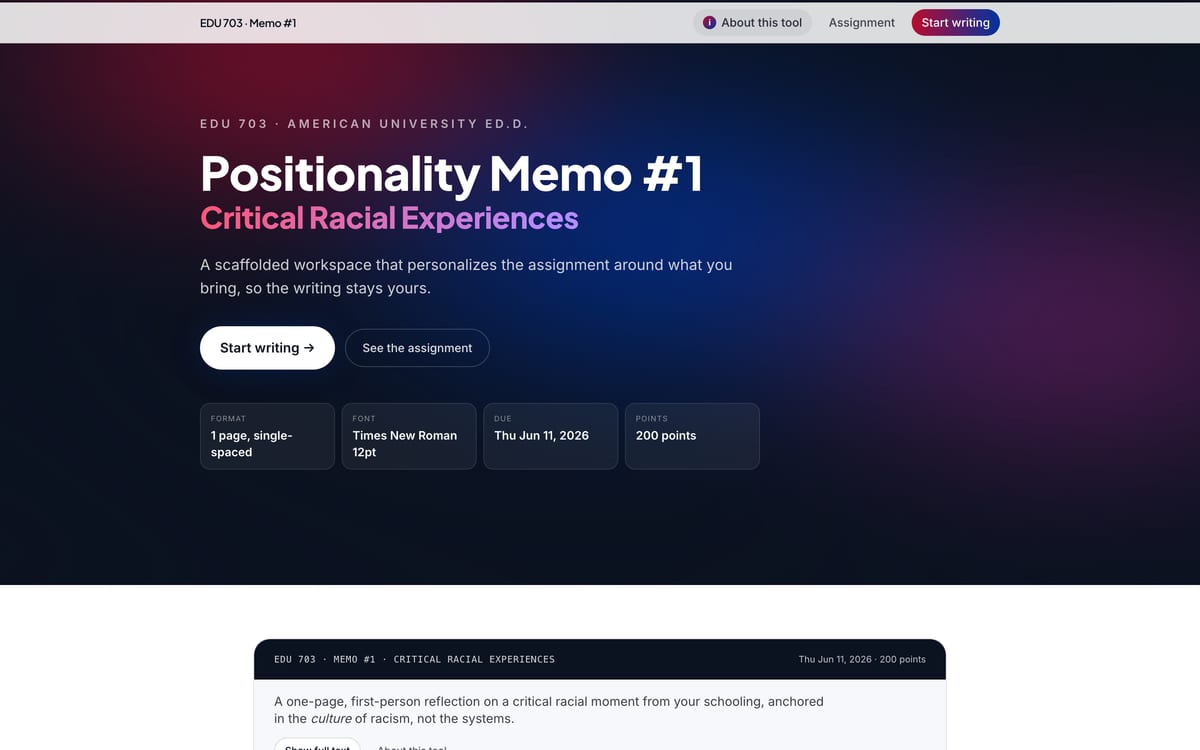
The EDU 703 memo workspace: the heading Positionality Memo number one over the subtitle Critical Racial Experiences, with cards below showing the format, font, due date and point value.

From Compliance to Connection , opens in a new tab

A doctoral assignment arrives as a page of requirements, and a student who already does this work for a living still starts from somebody else’s example. This workspace asks what experience you bring first, then rewrites the assignment prompt around your answers.

The objectives and the rubric stay exactly as the professor wrote them, so what moves is the way in and not the standard. Self determination theory is the reasoning underneath it, since people work more carefully on something they have a stake in. A language model does the rewriting, working only from the answers the student typed.

edu703memo.vercel.app

The Plan-Do-Study-Act Outline tool: the four phase cycle drawn as a ring of coloured arcs labelled Plan, Do, Study and Act, above the title of the tool.

PDSA Outline

Plan, Do, Study, Act is an improvement cycle used across education and healthcare: plan a small change, try it, study what happened, then decide whether to keep it. Doctoral students have to write one up, and most of them stall on the blank page long before they stall on the thinking.

The tool moves one phase at a time and asks questions before it offers anything, so the analysis stays the student’s own rather than the model’s. A coach reads each answer and pushes on it where the reasoning is thin, and the finished outline exports as a document ready to hand in.

Cohort passcode

The Positionality, Mapped portfolio: the title over a soft colour gradient, the subtitle Social Identity Map and 6P Positionality Diagram, and a pulled quote about critical AI literacy.

Positionality, Mapped , opens in a new tab

Doctoral programs ask a researcher to write out who they are and how that shapes the questions they ask. Mine is built as a map instead, with every identity and commitment drawn as a point and the lines showing what pulls on what.

A stance essay read top to bottom hides the overlaps, while the same material drawn as a graph puts them in front of you first. No model is involved anywhere in it, and every point on the map is something I wrote about myself.

positionality-mapped.vercel.app

The AU EdD dissertation archive: a research advisor panel asking where a study sits, offering four contexts to choose from, with a topic search box beneath it.

AU EdD Dissertation Archive , opens in a new tab

My doctoral program has seventy two dissertations behind it, and they sat as separate PDFs, which made it slow to see what had been studied and what had been left alone. I indexed all of them into one archive a student can search.

Someone describing a study they are considering gets back the closest prior work and the gaps around it, which is the part a reading list does not give you. The matching runs on term frequency scoring in the browser, so there is no model behind it and no key to pay for.

au-edd-archive.vercel.app

The Abbott research app: a search box for finding episodes for a chapter, above cards for chapters such as staff meetings and instructional coaching, each counting the episodes coded to it.

Abbott SDT Research App

Qualitative research means reading material closely and tagging it against a theory’s categories, which is slow work and easy to drift on across five seasons of television. I built this for a study I support as a research assistant, coding episodes of the show Abbott Elementary.

Self determination theory is the lens, and it holds that people stay motivated when they feel capable, connected and in charge of their own choices, so every scene is checked against those three. The model proposes a code with its reasoning and the episode evidence attached, and I keep or overturn each one. What comes out is a codebook and season level findings a chapter can cite.

Invite only

Chapter 04

Bringing AI to established pedagogical strategies

Almost everything institutions do about students using AI happens after the fact, through detectors and policy language, and neither one touches why a student reached for the tool in the first place.

My design case works the other end of it, by putting AI behind a teaching move that already works: meeting students where they are. A student says what they already bring to the assignment, a language model rewrites the prompt around those answers, and the objectives and the rubric stay exactly as the instructor wrote them. The AI designs the prompt; it never writes the response.

1 Frame 2 Listen 3 Rewrite 4 Hand off Frame Listen Rewrite Hand off

Design case · Live workspace

From Compliance to Connection

A live workspace for AI-personalized assignment design in doctoral education

The AI designs the prompt; it never writes the response.

The workspace asks a student what they already bring to an assignment, then uses a language model to rewrite the assignment prompt around those answers.

It is a public web page, free and without an account. The four questions it asks cover the schools a student has sat in or taught in, a moment they keep returning to, the question they are chasing now, and the lens that moment left them with. The objectives and the rubric stay exactly as the instructor wrote them, so what moves is the way into the assignment and not the work the assignment asks for.

I built it for the student who reads an assignment, understands every word of it, and still cannot find a place to start. That stall is rarely about ability, and the time spent circling a prompt is time not spent on the thinking the assignment was set for. Self-determination theory gave me the language for what I wanted the opening move to do, since a student who starts from their own inquiry has a reason to do the work themselves, and a model that was never in their classroom stops being a shortcut.

I built the first version around a positionality memo in a doctoral education course at American University, where students write about critical racial moments from their own schooling. It ran live in that course on a graded assignment, students chose for themselves whether to use it, and I wrote my own memo inside it.

What the student supplies runs into one reworded prompt. The assignment on the right, its objectives and its rubric, is the part the workspace never touches.

I did not measure learning. This is a design deployment and not a study, so what it shows is that the workflow can be built, put in front of students, and used on graded work. It keeps nothing: no login, no database, no analytics, which protects students who are typing about their own experience but also limits what I can learn from a deployment.

Skip the embedded memo workspace
edu703memo.vercel.app Open full
Public, free, no account. A full cycle, landing to download, takes five to ten minutes; the AI designs the prompt and is never called during the writing.

How it runs, and where the model comes in.

Of the four steps below, the model is called in one, and its only job there is to reword the prompt. An instructor could run the same steps without the workspace, though collecting the reflections, writing, and distributing would take significantly more time.

  1. Step 1

    Frame

    The assignment's fixed objectives stay visible before any writing happens, and the rubric never changes from student to student.

  2. Step 2

    Listen

    A short intake collects the student's context: settings and roles, one critical moment, their current inquiry, and the lens it created.

  3. Step 3

    Rewrite

    The model generates a personalized version of the prompt from that intake. It may quote the student's own phrasing; it may not invent details.

  4. Step 4

    Hand off

    The student downloads a Word document with the personalized prompt, their intake, the unchanged rubric, and a writing space. The AI is never called during the writing.

Sessions

Sessions I have run

These are some of the workshops I have designed and facilitated for students, faculty, and community audiences. I have run others, and I build a new session when a group needs something these do not cover. Each entry says how long it ran and who it was written for.

Email about a session
  1. A drawn mark on a pale grid: two circles of equal size overlapping, one outlined in dark ink and one in teal, a dotted line down the middle, and a single filled dot at the center of the shared area.

    AI: Friend or Foe?

    For a general community audience. The case for and against generative AI in learning, argued in the open rather than settled in advance.

    60 minutes

  2. A drawn mark on a pale grid: two sheets of ruled paper stacked slightly offset, with one of the ruled lines drawn in teal and a small teal dot in the margin beside it.

    AI Study Ready

    For students in college success and study skills courses. No prior experience with AI is assumed, and everyone works from the same sample reading.

    60 minutes

  3. A drawn mark on a pale grid: seven quarter circle arcs opening outward from a single filled dot in the lower left corner, with one of the arcs picked out in teal.

    AI and You

    For middle school students. A short, hands-on session on recognizing AI in the things they already use every day.

    20 minutes

  4. A drawn mark on a pale grid: a filled dot at the head of a rising curve, with eight smaller open circles trailing behind it along a dotted teal path.

    You Lead, AI Follows

    For faculty. Keeping human expertise at the center of assignment design, with a prompt toolkit to take back to a course.

    60 minutes, virtual, with Dr. Angela Lanier

  5. A drawn mark on a pale grid: a stair of five steps climbing to the right, a filled dot at the top step, open circles resting on the steps below it, and one of the risers drawn in teal.

    You Lead, AI Follows: Student Edition

    For students. How a model produces what it produces, and how to judge what comes back before using it.

    50 minutes

The recording plays here on YouTube's privacy-reduced player, and nothing loads from YouTube until you press play.

Featured talk

AI: Friend or Foe?

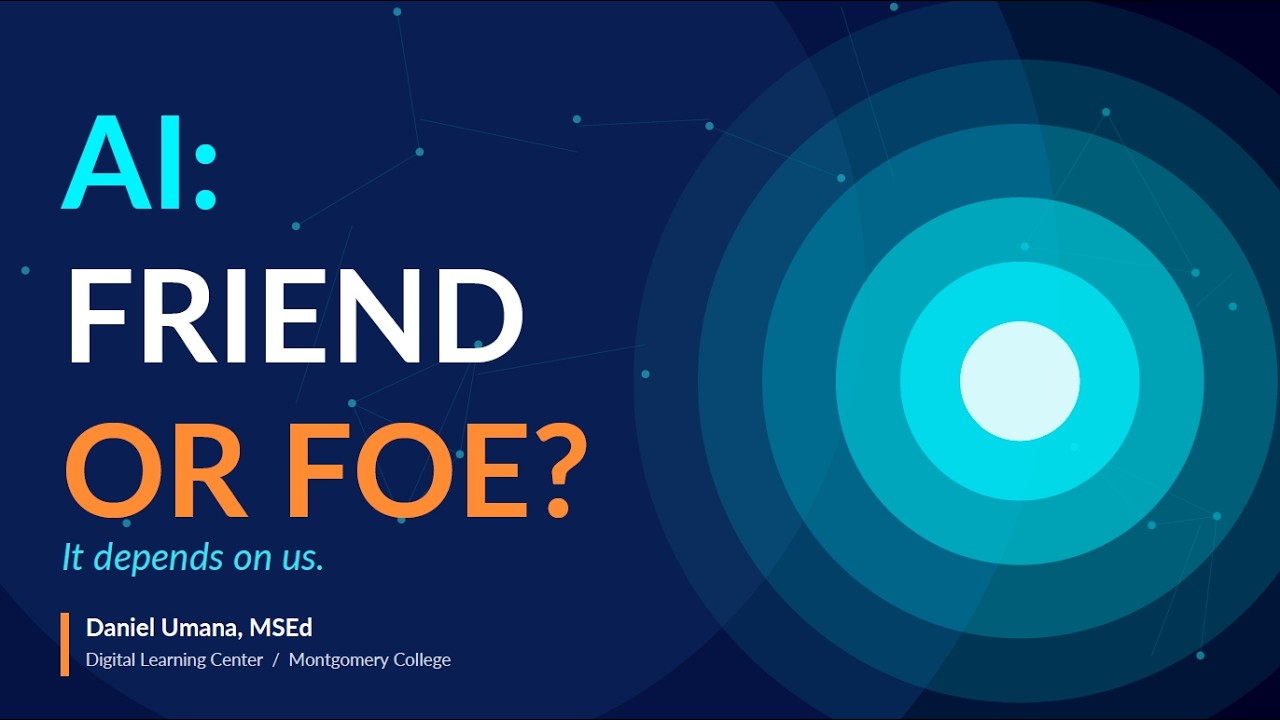
I gave this talk to a room of students, staff, and faculty at Montgomery College. I lay out the case for generative AI in learning and the case against it, and I leave the question open at the end instead of handing the room a verdict. If you want to hear how I run this material with a live audience, this is the recording to watch.

Session
Future of Tech Lunch & Learn
Host
Montgomery College ignITe Hub
Date
May 2026
Format
Recorded talk

Writing

Published on LinkedIn

I publish essays on AI literacy, equity, and pedagogy. Most of them start with something I ran into at the Digital Learning Center I manage at Montgomery College, or in my doctoral coursework, and I write them to think a question through rather than to announce a conclusion. Every title below opens the full piece on LinkedIn.

  1. The open arched door of a bank vault, its steel frame studded with rivets, a barred gate drawn across the lit interior behind it.
    Photo: Jonathunder, CC BY-SA 3.0, cropped and graded.

    Critical pedagogy

    Most AI-in-education debates are two camps shouting past each other.

  2. A railway signal head capped with snow against a flat gray sky, its lower lamp lit bright green, overhead wires crossing the frame behind it.
    Photo: Dmitry G, Public domain, cropped and graded.

    AI literacy

    Students cannot be expected to think critically about tools they were never taught to use: it is like expecting someone to drive safely without ever being shown how.

  3. A drawn mark on a pale grid: three overlapping circles labeled Content, Pedagogy and Technology, with the small area where all three meet filled in teal.

    Frameworks

    Generative AI did not break pedagogy; it raised the stakes.

  4. A drawn mark on a pale grid: a row of vertical bars of varying height standing on a baseline, three of them missing from the middle, and a teal bracket measuring only the empty span.

    Equity

    Every few months a headline predicts higher education will collapse because of AI, or that students will stop thinking.

  5. A drawn mark on a pale grid: on one side of a dashed line a cluster of filled dots joined to each other by thin lines, on the other side the same number of dots drawn hollow and joined to nothing, and a single teal line crossing the divide to reach one of them.

    Digital equity

    AI is among the most influential learning tools of our time, and students are already meeting it everywhere.

  6. A drawn mark on a pale grid: a single teal point at the lower left from which one stroke rises and divides again and again into finer branches that spread across the frame.

    Learning

    Generative love is not a phrase we usually hear next to artificial intelligence.

From school administrator to Digital Learning Center Manager.

Higher education

  1. Digital Learning Center (DLC) Manager Montgomery College, Rockville, MD Aug 2024 to Present
  2. Graduate Research Assistant American University, School of Education, Washington, DC May 2026 to Present

K-12 school leadership

  1. Founding Dean of Students Uncommon Public Schools, Brooklyn, NY Jun 2023 to Jul 2024
  2. School Culture Specialist Rocketship Public Schools, Washington, DC Jun 2022 to Jul 2023
  3. Dean of Students DC Scholars Public Charter School, Washington, DC Jun 2021 to Jul 2022
  4. Dean of Students / Grade Chair & 4th Grade Teacher Breakthrough Public Schools, Cleveland, OH Jun 2017 to Jul 2021

Institutional work

ALIGN, AI Levels for Instructional Guidance and Navigation
Led the cross-functional faculty and staff team that created the college-wide framework, and co-authored its white paper and faculty guides.
Montgomery College AI Taskforce
Member of the college group working on AI policy.
AI-inclusive curriculum guidelines
Contributor to the college initiative defining acceptable use of generative AI across student-facing programs.
AI literacy microcredential
Designed the credential end to end and authored the open-access curriculum behind it.

Research

Graduate Research Assistant, American University
Assistant to Dr. William N. Thomas IV, Ed.D., on a qualitative study connecting AI-enabled assignments and Self-Determination Theory.
Coding and documentation
Runs the coding workflows, codebook iteration, and research documentation toward a forthcoming book proposal.
Research tooling
Built the application behind the study: syllabus decoding, assignment redesign, and database search.

Education

  • Ed.D., Education Policy & Leadership American University, School of Education Expected May 2028
  • M.S.Ed. Johns Hopkins University 2019
  • B.S., Public Health Science University of Maryland 2016

Certifications

  • Generative AI Leadership & Strategy Vanderbilt 2024
  • Generative AI for Educators & Teachers Vanderbilt 2024
  • AI in Education University of Pennsylvania 2024
  • AI+ Educator AI Certs 2025
  • Leading Responsible AI in Organizations LinkedIn Learning 2025
  • Generative AI: Impact, Considerations & Ethical Issues IBM 2024

Download the resume

About

I came up through the classroom.

I spent nearly a decade in K-12 as a fourth grade teacher, a grade chair, a dean of students, and a founding dean, and most of what I understand about how a school actually runs I learned in those buildings.

Daniel Umana, wearing glasses, a gray quarter zip and a red tie, against a teal studio backdrop.

Today I manage the Digital Learning Center at Montgomery College, a public community college in Maryland. I lead the team and the operations of a walk-in hub that helps students and faculty with the technology their courses run on, and most of that work now points at AI.

I launched the college's AI literacy microcredential and wrote the open-access curriculum behind it, which anyone outside Montgomery College can use for free. I also led the cross-functional group of faculty and staff that built ALIGN, and I co-authored the white paper and the practical guides that went with it. ALIGN gives faculty and students the same words for how much AI belongs on a given assignment, and a student left guessing at that rule is a student set up to break it.

I build the applications on this site myself, because a framework only changes something when a faculty member can use it on the assignment in front of them. A white paper on its own does not get anyone there, though it is where the thinking has to start, and I would rather hand a colleague a working tool than one more document to read.

I am an Ed.D. candidate in Education Policy and Leadership at American University in Washington, DC, and I expect to finish in May 2028. I also work there as a graduate research assistant to Dr. William N. Thomas IV, on a qualitative study of AI-enabled assignments and Self-Determination Theory. That theory holds that people do their best work when they have some say in it, some sense that they are capable of it, and some connection to the people around them, but an assignment can strip all three out without anyone meaning to.

I am bilingual in English and Spanish, and that shapes how I think about who gets access to this work and who gets left guessing. I believe the students who lose the most when a rule goes unsaid are the ones with the least practice asking about it, and they are who I have in mind when I write any of this.

Contact

I would like to hear what you are working on.

Write to me. I answer my own email, and I am glad to talk with anyone working on AI in education whether or not a job or a project is attached to it.